Plant Pal
Plant Care App — UI/UX Case Study

Your Plants,
Your Pal.

A comprehensive plant‑care companion and marketplace designed to give both new and experienced plant parents the confidence to help their greenery thrive.

RoleUser Research
UX & UI Design
UX Writing
User Flow
ToolsFigma
Notion
Duration5 Weeks
PlantPal onboarding screens
Scroll
The Brief

Turning plant‑care anxiety into plant‑care confidence.

PlantPal is an innovative solution for plant enthusiasts seeking to enhance their plant care knowledge and build a thriving collection — a comprehensive companion and marketplace offering expert guidance, personalized tips, and a supportive community for users of every experience level.

Problem

Many people aspire to become successful plant parents, but often struggle to understand and implement proper care. Recurring pain points included:

  • Lack of plant‑care knowledge
  • Inconsistent care routines
  • Unresolved plant health issues
  • Isolation from other plant lovers

Solution

PlantPal addresses these challenges with a comprehensive, user‑friendly experience built around four pillars:

  • Educational empowerment
  • Personalized plant care
  • Community engagement
  • Sustainability advocacy
How It Came Together

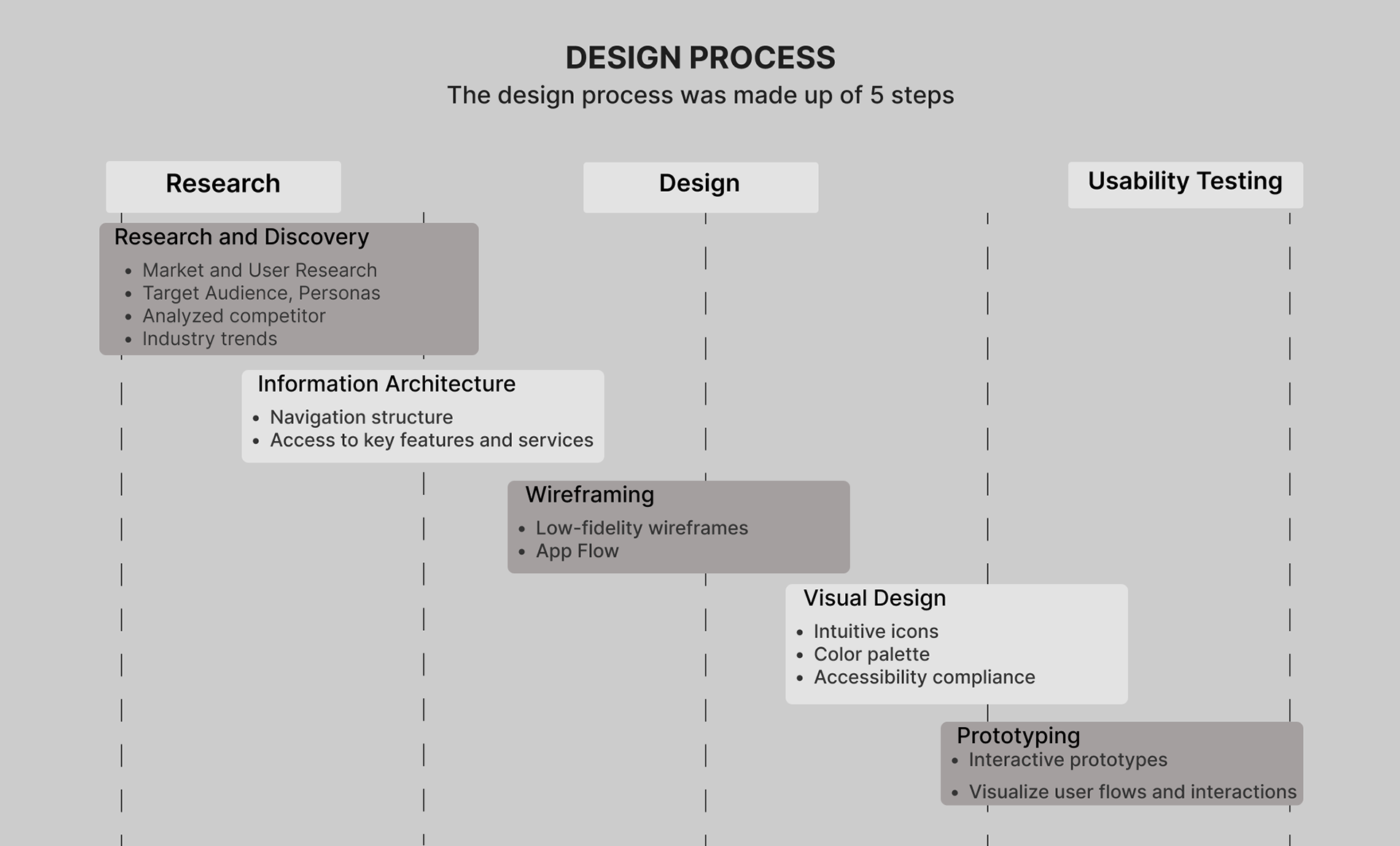
A five‑step design process, start to finish.

From early research and information architecture through wireframes, visual design, and prototyping — each stage fed directly into the next, and closed the loop with usability testing.

PlantPal design process diagram: Research and Discovery, Information Architecture, Wireframing, Visual Design, Prototyping
Who We Designed For

Two very different relationships with plants.

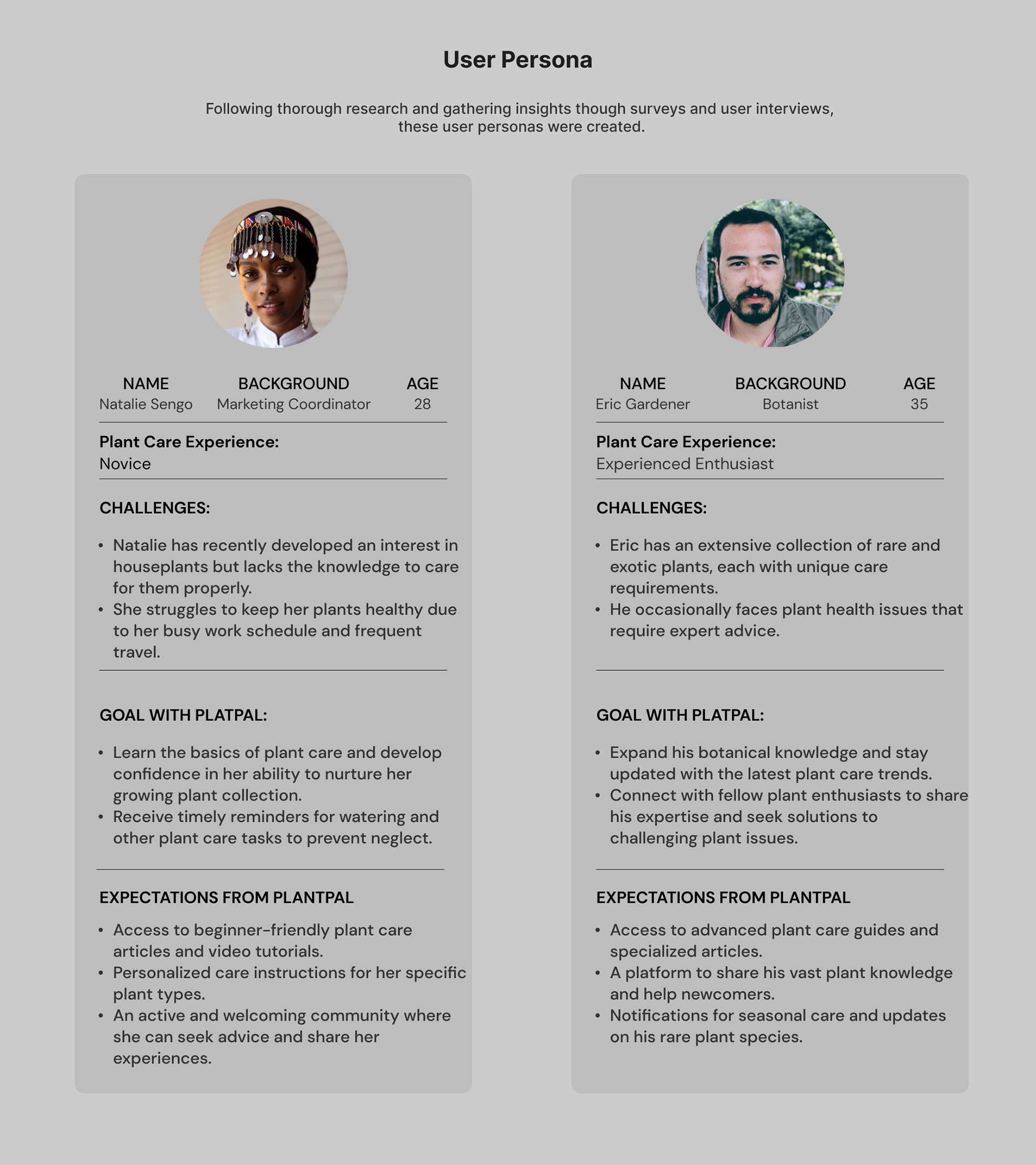
User interviews and surveys surfaced two recurring profiles — a busy novice building confidence, and a seasoned enthusiast looking to go deeper and give back.

PlantPal user personas: Natalie Sengo, novice plant parent, and Eric Gardener, experienced botanist
Visual Identity

A palette rooted in foliage.

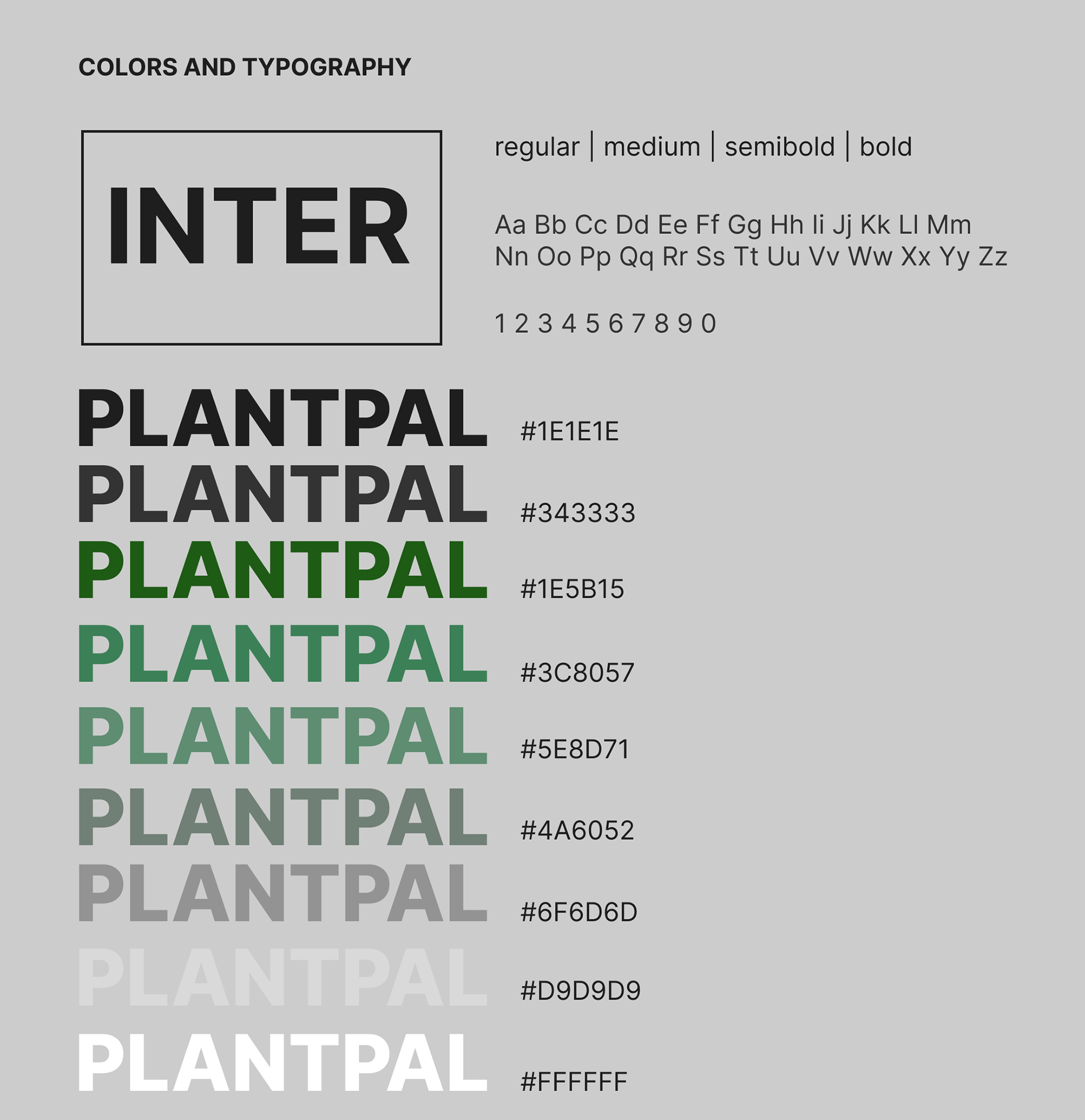
PlantPal colors and typography — Inter typeface and green color scale

Typography is built entirely on Inter, carried across regular, medium, semibold, and bold weights for a clean, highly legible interface that stays out of the plants' way.

The color system moves from deep forest to soft sage, giving the product room to feel calm in dense data views and lush in imagery‑led moments.

The Experience

Walking through the product.

From first launch to plant detail, every screen was built to answer one question at a time — so a new plant parent never feels lost.

Onboarding

01 — First Impressions
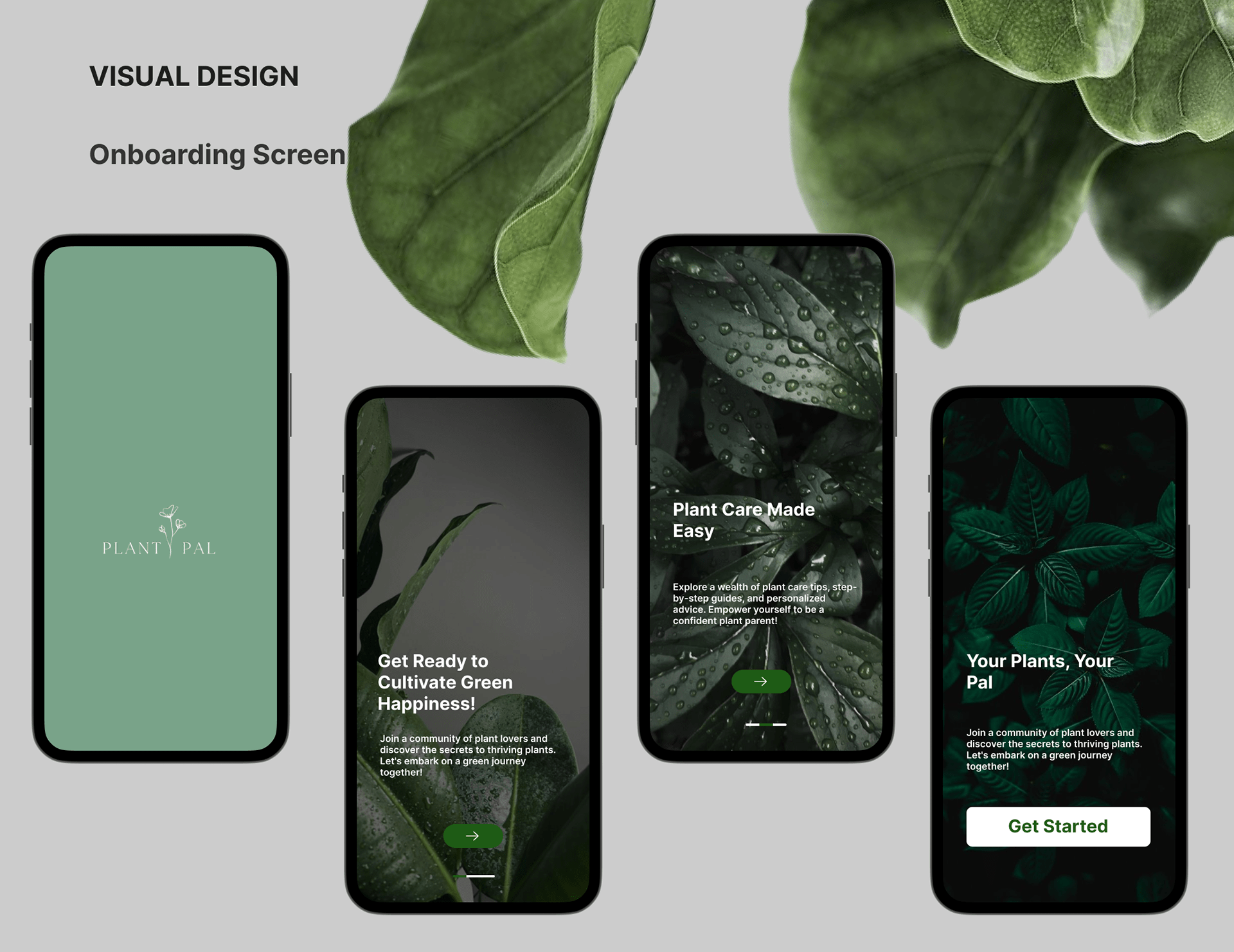
PlantPal onboarding flow
A short, imagery‑led intro sets tone before asking anything of the user.Splash → Value Props → Get Started

Home Page

02 — Orientation
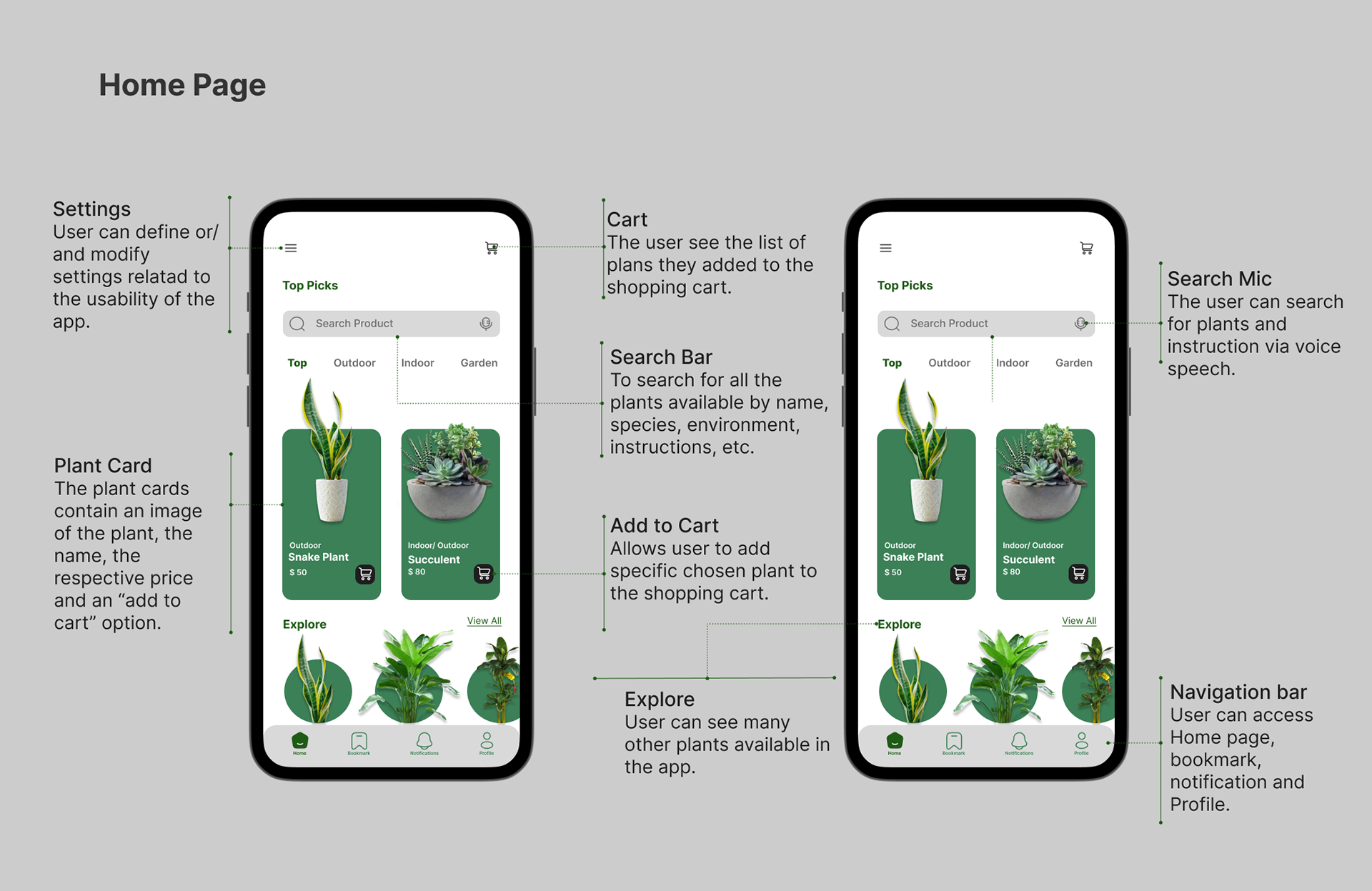
PlantPal home page with search, categories, and plant cards
Search, categories, and curated picks give users a fast route to any plant.Search · Cart · Plant Cards · Nav Bar

Plant Page

03 — Detail & Decision
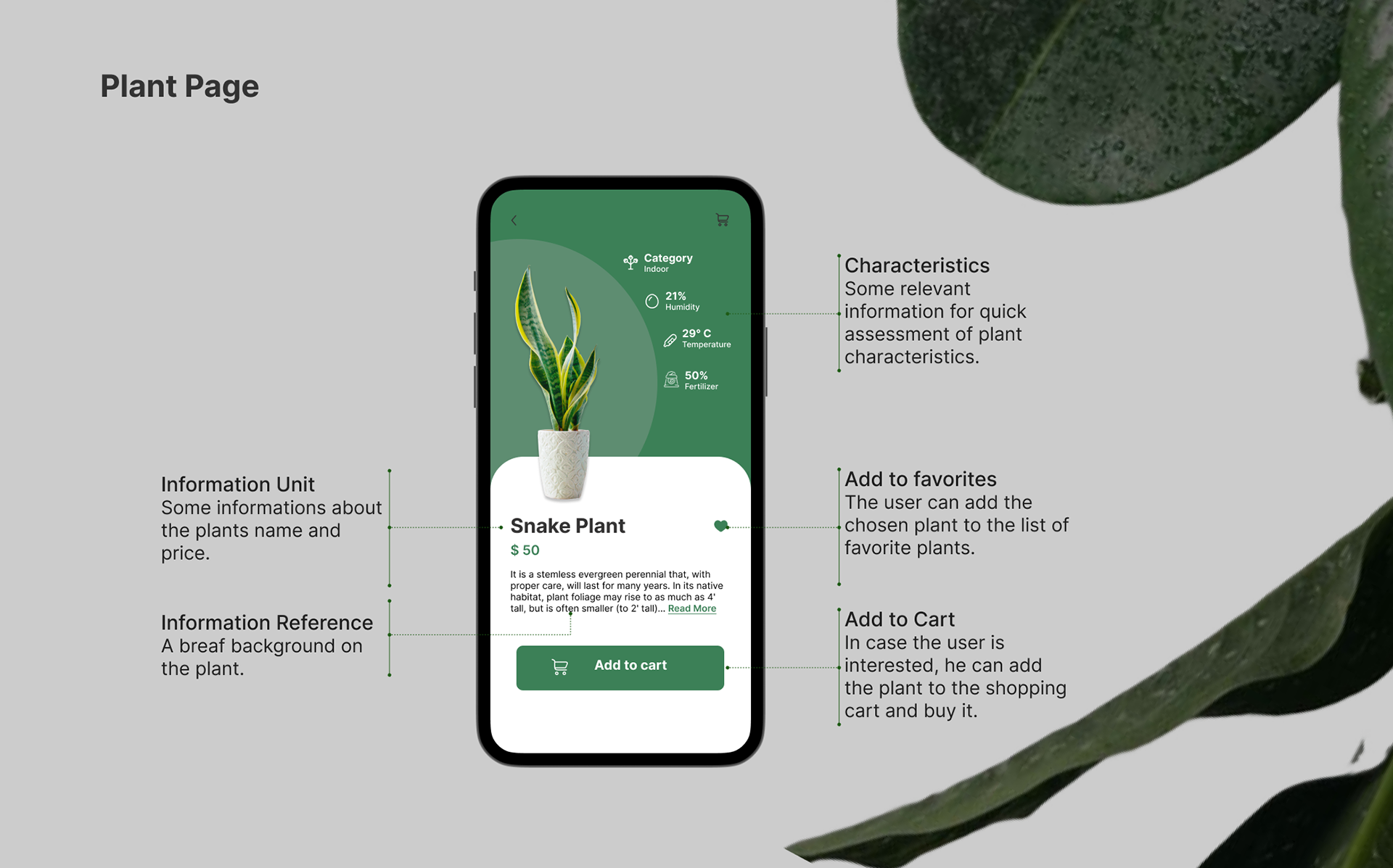
PlantPal individual plant detail page for Snake Plant
Humidity, temperature, and fertilizer needs at a glance, before you buy.Characteristics · Favorites · Add to Cart

Explore Page

04 — Discovery
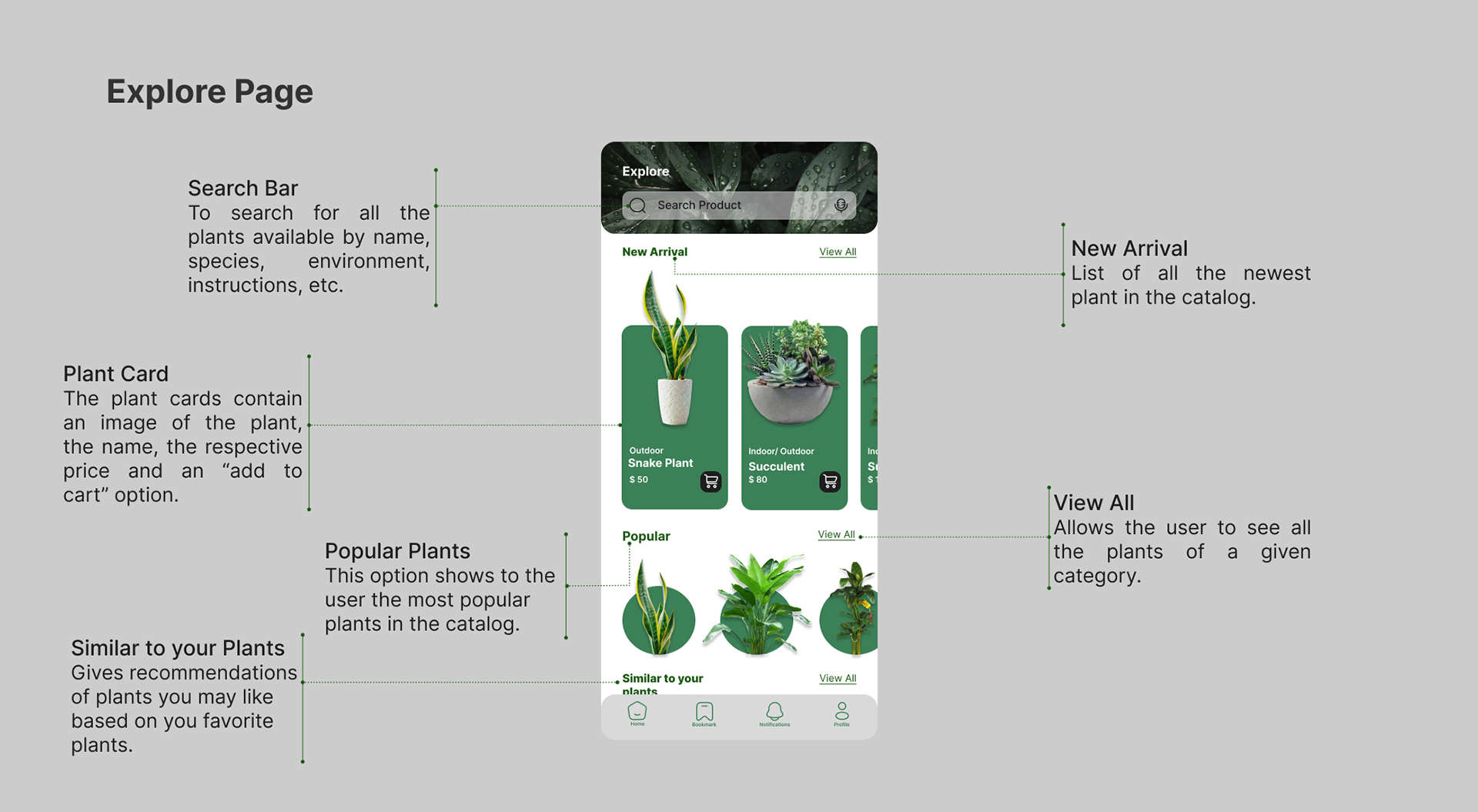
PlantPal explore page with new arrivals, popular plants, and recommendations
New arrivals, popular picks, and lookalike recommendations invite exploration.New Arrivals · Popular · Similar to Yours
Plant Pal

A confident, guided way to grow a green thumb — one plant at a time.

Thanks for reading through the PlantPal case study. Get in touch if you'd like to see the full prototype or talk through the process.

RoleUX Research & UI Design
Duration5 Weeks
ToolsFigma · Notion